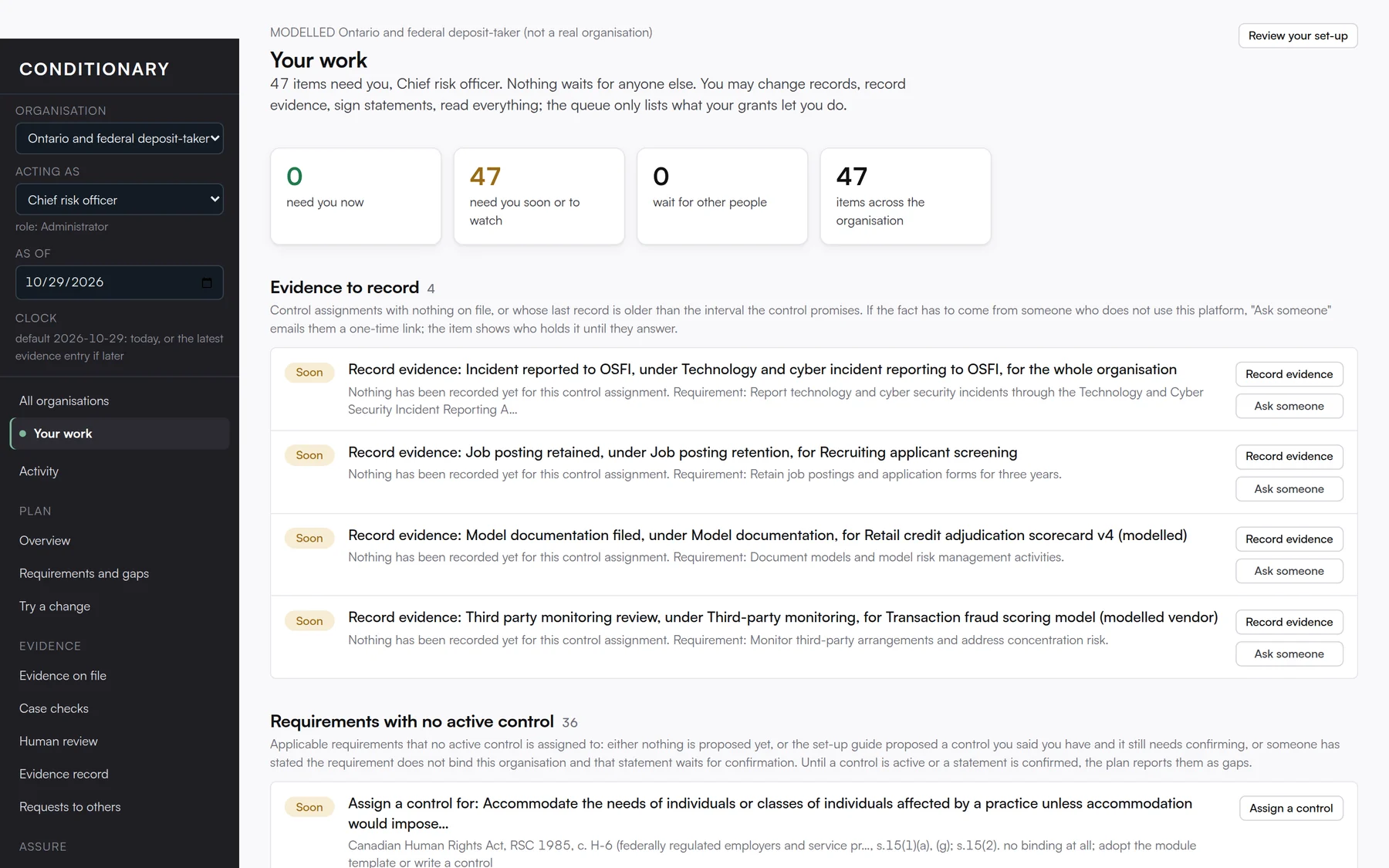
Your work is a to-do list that builds itself. Conditionary looks at the requirements that apply to your organisation, the evidence that is due, the cases that failed a check, the requests waiting on other people and the rule changes that affect you, then turns all of it into a short queue for the person signed in.
Each item carries a button that does the thing: record the evidence, ask someone, assign a control. When the evidence is recorded, the item clears. The list only shows what your permissions let you act on, so a reader sees a different queue from an administrator, and nobody is asked to do something they cannot.
On this screen you can
- See the evidence that is due, with the requirement it serves and a form already filled in.
- Spot requirements that have no control assigned yet, and assign one in a minute.
- Act on cases that failed a check, straight from the list.
- Catch yearly review reminders and rulebook updates before they become findings.
- Pick up requests that came back answered from outside the organisation.