
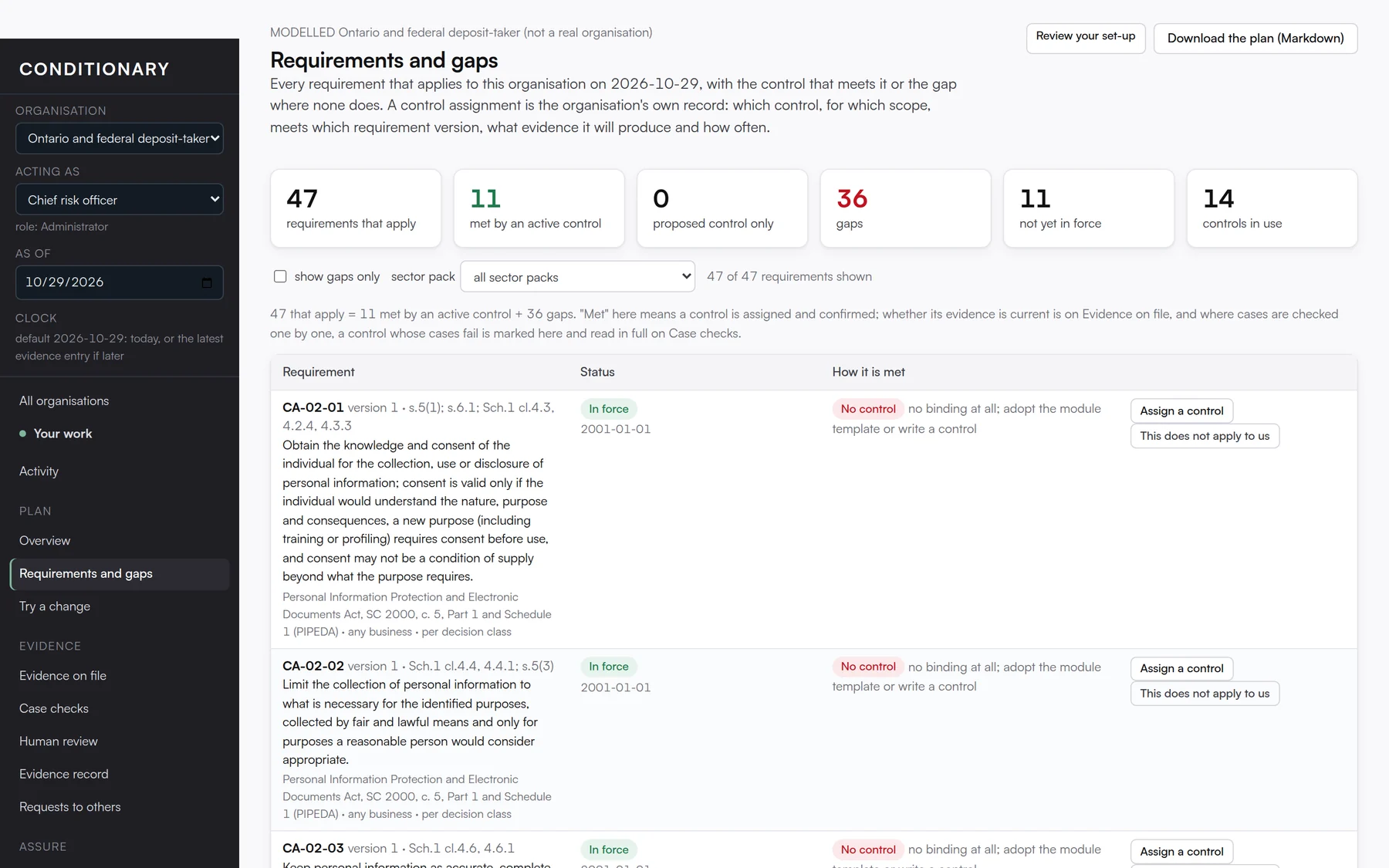
This is the compiled plan. Each requirement from the loaded rulebooks that applies to your profile on the chosen date appears in plain words, with the source text one click away. Beside each one is the control that meets it, or a red “no control” marker and a button to assign one.
Assigning takes a minute. Pick an existing control or create one on the spot, with the evidence it will produce and the role that owns it. Where a rule covers individual cases, the per-case reading sits beside the assignment, so a sound assignment with failing cases is visible for what it is. If a requirement genuinely does not apply to you, you can say so, with a reason, and the statement stays visible rather than disappearing.
On this screen you can
- Filter to gaps only, to a sector pack, or search by keyword.
- Read the captured legal text and its source for any requirement.
- Assign, create or withdraw a control without leaving the page.
- Download the plan as a Markdown document for a meeting.